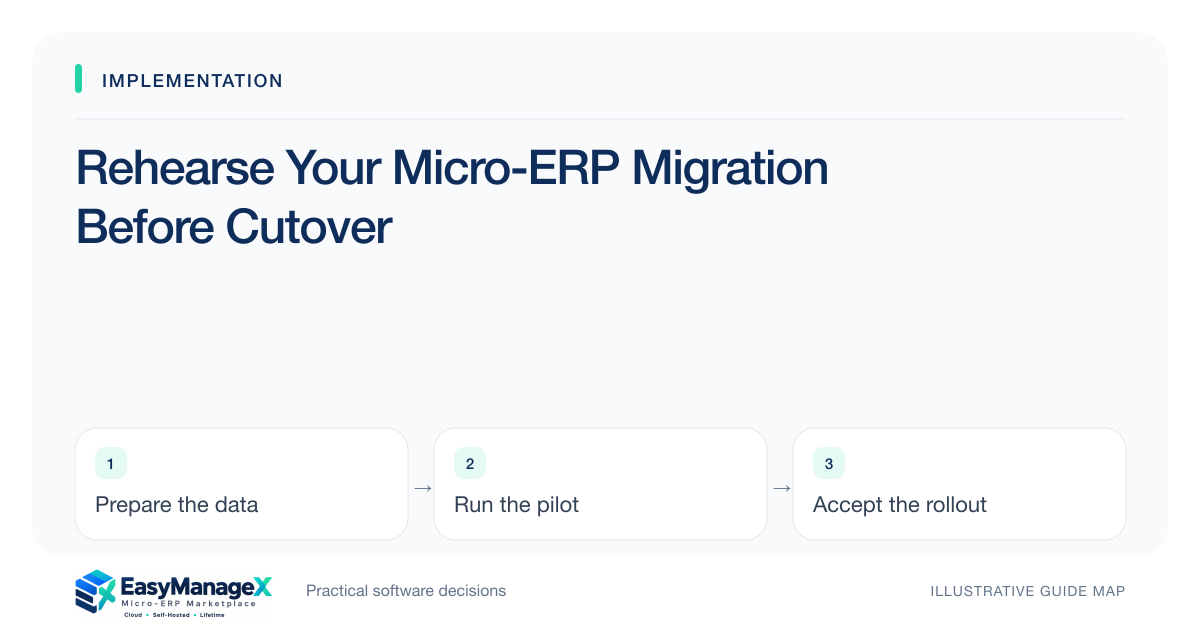
A migration rehearsal executes the planned export, transformation, import and reconciliation on a controlled environment before live cutover. Use approved snapshots and record timings, failures and required decisions. Rehearse the actual sequence, including attachments and open work, then update the runbook and rerun affected checks until essential acceptance conditions are satisfied.
- Rehearse the complete sequence rather than one successful file.
- Measure cleanup, import and verification separately.
- Use reconciliation evidence to decide whether cutover is feasible.
Prepare an executable runbook
Write export sources, file locations, mapping version, import order and responsible people. Include prerequisites and decision checkpoints. A runbook should allow another qualified person to understand the sequence, not simply say migrate data. Use candidate-specific documentation for supported import behavior and relationship requirements.
Identify whether the environment must be empty and how it will be reset between rehearsals. Record software and configuration versions. A partial import left from a previous attempt can make results misleading, especially when the next run silently updates existing records instead of creating a fresh test dataset.
Use a controlled source snapshot
Take a dated approved snapshot and record counts and important totals before transformation. Use protected handling for sensitive records. If a full-sized sample is needed to estimate time, arrange an authorized environment and access; do not spread a production export casually across personal development folders.
Keep the snapshot stable during a rehearsal. If source corrections are necessary, version the corrected input and explain the change. This preserves the ability to compare results and avoids confusing an importer fix with a business-data correction that happened invisibly between attempts.
Follow dependency order
Import reference and master data before transactions that require them, following the actual tool’s requirements. Include attachment loading and identifier crosswalks. Watch for apparently accepted records whose relationships remain missing or incorrectly assigned because a required source record was absent when the transaction was processed.
Record rejected rows with reasons and resolution owners. Determine how reruns behave: create, update, skip or duplicate. Test that behavior intentionally. A successful retry should reconcile the intended records without introducing additional duplicates or overwriting approved manual corrections made after the first attempt.
Time an illustrative rehearsal
Illustrative scenario: a service business rehearses customer, asset, open-ticket and attachment imports. The file import takes forty minutes, but attachment verification and duplicate review take three additional hours. The team uses the whole elapsed process to estimate cutover, not the import progress bar alone.
It discovers that tickets referencing retired assets need a reviewed mapping decision. The owner resolves that issue before the next run. These timings are illustrative, not a performance claim. Actual duration depends on source quality, tools, environment and the amount of verification the chosen scope requires.
Reconcile business results
Compare counts, relationships and key quantities or amounts against the approved input. Have operators locate selected open records and perform the next intended task. A database containing the right number of rows may still have incorrect statuses or links that prevent everyday work from continuing.
Record explained exclusions and approved transformations alongside the totals. Do not accept unexplained differences because the importer reports success. For high-impact records, use stronger reconciliation appropriate to the workflow, with accountable owners approving evidence before the rehearsal is considered complete.
Revise and repeat targeted checks
Update timings, instructions and dependencies based on the rehearsal. Repeat the whole sequence if major ordering or transformation changes occurred; otherwise rerun the affected scenarios and relevant reconciliation. Keep failures visible until evidence closes them. Rehearsal completion should mean the runbook is executable within the intended window.
Use the evidence to decide whether to cut over, reduce scope or schedule another rehearsal. EasyManageX listings are illustrative; migration support must be confirmed for the actual candidate. A realistic rehearsal helps turn an optimistic launch date into a defensible operating plan with known responsibilities and limits.
Your working checklist
- Version the migration runbook.
- Capture source counts and totals.
- Reset the test environment correctly.
- Follow record dependency order.
- Test rejected-row reruns.
- Time verification as well as import.
- Approve reconciliation before cutover.
Common questions
Must a rehearsal use the full dataset?+
Use sufficient data to expose mapping, dependency and timing risks. A small sample can validate logic, while an authorized representative-volume run may be needed for cutover duration. Do not assume a tiny successful import predicts the complete process, particularly when attachments or manual exception review dominate effort.
How many rehearsals are enough?+
There is no fixed count. Continue until essential mapping, rerun behavior, timing and reconciliation are understood, and unresolved limitations have acceptable owners. Repeat checks affected by meaningful changes. A rehearsal that ends with unexplained differences is not made adequate simply by being the second or third attempt.
What should operators check after import?+
Ask them to locate representative open records, understand their status and perform the next agreed action. Include linked files and relationships where necessary. Their business checks complement technical counts and help reveal a dataset that imported successfully but no longer supports the intended workflow.
Sources and further reading
These primary references explain relevant concepts. Our scenarios and working checklists are original, illustrative guidance.
- ERPNext documentation: Data Import
Templates, validation errors, record keys and CSV imports. This is further reading, not a claim about EasyManageX products.
- AWS Well-Architected Reliability Pillar
Recovery, resilient operations and reliability decisions.
Published by EasyManageX as practical, AI-assisted guidance. Examples are illustrative. Confirm software capabilities, licence terms and project-specific requirements before committing. Read our editorial policy.