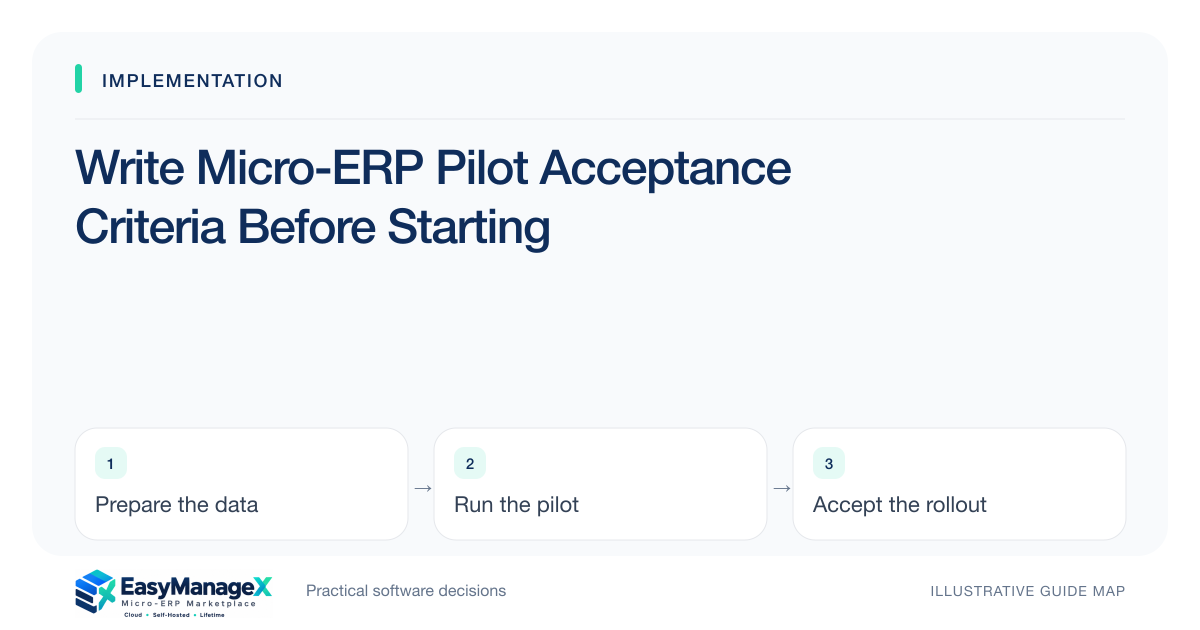
A pilot is accepted when the agreed users can complete essential workflows, explain resulting records and handle key exceptions in the configured environment. Define those checks before the pilot, including data reconciliation, permissions and recovery ownership. Keep untested conditions visible and require an accountable decision when a limitation is accepted.
- Write expected business results before executing the pilot.
- Use ordinary accounts and representative operating conditions.
- Separate observed success from untested or accepted limitations.
Define the pilot’s purpose
State the uncertainty the pilot must resolve and the workflow it covers. A pilot might test one warehouse’s receiving and dispatch process rather than the whole company. Write its boundaries, participants and dates so stakeholders do not interpret a narrow success as proof of organization-wide readiness.
Link acceptance to outcomes such as reconciled quantities or an understandable approval chain. Avoid vague statements that the system works well. A user completing entry is only one step; the receiving team and reports must also reflect the correct final state for the scenario.
Create known expected results
Prepare sanitized records and calculate intended outcomes in advance. Include relevant totals, status transitions and relationship identifiers. The test executor should be able to compare actual output with a known reference rather than accepting a plausible-looking dashboard or relying on the implementer’s explanation.
Use a small but representative scenario set: normal work, correction, cancellation and a meaningful boundary condition. If the workflow involves time zones, units or multiple locations, include them deliberately. The set should reflect real process risks instead of accumulating dozens of trivial screen checks.
Assign roles and evidence owners
Have ordinary operators perform tasks with their intended permissions. A reviewer should observe the outcome, while the technical owner helps diagnose failures. Identify who records evidence and who can accept a limitation. Keeping these responsibilities separate reduces the chance of the implementer approving their own incomplete deliverable.
Capture environment version, configuration and account role with the result. A successful scenario on an administrator’s staging account may not represent production behavior. Use the actual intended devices where they influence the workflow, and assess keyboard or other accessibility needs alongside task completion.
Work an illustrative stock pilot
Illustrative scenario: a warehouse receives twelve units, rejects two and transfers four accepted units to another location. Acceptance requires the source location, destination location and rejected quantity to match the known expected state. A second scenario corrects a wrongly selected item before dispatch.
The team also verifies that a dispatch operator cannot approve the correction when policy reserves it for a supervisor. The pilot therefore covers both quantities and authority. None of these behaviors is assumed from a catalogue label; the configured candidate must demonstrate the agreed process.
Set explicit failure gates
Identify defects or gaps that stop progression: unreconciled opening data, unauthorized changes or an unexplained missing handoff. Keep them outside an averaged satisfaction score. A positive user reaction cannot offset a failed essential control. Record the owner and evidence required to close each gate.
For accepted minor limitations, write the workaround, frequency, operating effort and review date. The sponsor should know what is being accepted. Unverified claims must remain untested, not pass. A limitation with no workable owner should not disappear merely because the pilot schedule has ended.
Use acceptance to plan the next phase
Review results with process and technical owners. Decide to proceed, repeat defined scenarios or revise scope. The next phase should carry unresolved dependencies, training gaps and operating tasks into a controlled plan rather than treating pilot completion as automatic authorization for every branch.
Retain the scenario pack for later rollout and update regression checks when workflows change. EasyManageX categories can help organize the pilot’s functions, while illustrative product listings do not establish delivered behavior. Acceptance belongs to the actual environment, records and responsibilities your team has verified.
Your working checklist
- Write pilot boundaries and purpose.
- Calculate expected scenario outcomes.
- Assign normal accounts and operators.
- Capture version and configuration evidence.
- Define non-negotiable failure gates.
- Document accepted workarounds and owners.
- Approve the next phase explicitly.
Common questions
Does a successful pilot prove production readiness?+
It proves the tested scope under the recorded conditions. Production readiness also depends on migration, access, support, recovery and the intended workload. State those separate gates and validate them before live cutover. Do not generalize one department’s success to untested branches or integrations.
Who should sign off pilot acceptance?+
The accountable process owner should confirm workflow outcomes, supported by operators and technical owners for their areas. The sponsor resolves accepted limitations and progression decisions. Use your organization’s governance arrangements, while avoiding a process in which the implementation supplier alone decides that its work is sufficient.
Should every defect block the pilot?+
No. Assess impact against essential acceptance criteria and record an owner for each issue. A cosmetic inconsistency may be tolerable; an incorrect stock total or failed permission boundary may not be. Explicit classification helps the team make a defensible decision instead of demanding perfection or ignoring everything.
Sources and further reading
These primary references explain relevant concepts. Our scenarios and working checklists are original, illustrative guidance.
- ERPNext documentation: Stock Reconciliation
Physical counts, opening balances and reconciliation workflows. This is further reading, not a claim about EasyManageX products.
- OWASP Authorization Cheat Sheet
Least privilege, deny by default and permission verification.
- W3C Web Content Accessibility Guidelines 2.2
Accessible forms and interfaces; no conformance certification implied.
Published by EasyManageX as practical, AI-assisted guidance. Examples are illustrative. Confirm software capabilities, licence terms and project-specific requirements before committing. Read our editorial policy.